Picking an LLM serving backend used to be simple vLLM was the obvious choice. But SGLang has caught up fast, and TensorRT-LLM now supports an OpenAI-compatible HTTP server. All three handle the same interface; the differences live entirely in compiled kernels, batching strategies, and how each reacts to load. I wanted hard numbers, not marketing copy.
Hardware & Setup
All runs used Qwen/Qwen2.5-7B-Instruct on an RTX 5090 (32 GB,
Blackwell SM 12.0). vLLM ran with --attention-backend FLASHINFER,
SGLang with its default radix-cache scheduler, TRT-LLM with
--backend tensorrt on CUDA 12.9 and FlashInfer enabled. The benchmark harness
fired async concurrent requests over the OpenAI-compatible HTTP API and measured
wall-clock RPS, output TPS, TTFT, and inter-token latency.
The Three Backends
Each backend exposes an OpenAI-compatible endpoint, so the benchmark harness is identical for all three only the server changes. The architectural differences that matter most at serving time are:
- vLLM continuous batching, PagedAttention, Python/PyTorch runtime dispatch per operation
- SGLang RadixAttention with KV-cache sharing across requests, continuous batching
- TRT-LLM compiled TensorRT engine with CUDA graph capture and fused MLP kernels for each static batch size at startup
Benchmark Design
Three test suites, each with a different goal:
- Baseline sweep concurrency 1 → 50, 50 requests each. Measures practical serving throughput across normal load levels.
- Fine-grained sweep concurrency 1 → 128, 50 requests each. Finds the exact saturation point where adding users stops adding TPS.
- Overload & extreme overload concurrency 100 → 5,000, 100–200 requests each. Finds the GPU TPS ceiling and the TTFT breaking point.
async def load_test(base_url, model, concurrency, num_requests):
    semaphore = asyncio.Semaphore(concurrency)
    results = []

    async def single_request():
        async with semaphore:
            t0 = time.perf_counter()
            first_token_time = None
            tokens = 0
            async with client.stream("POST", f"{base_url}/v1/completions",
                json={"model": model, "stream": True, ...}) as r:
                async for chunk in r.aiter_lines():
                    if first_token_time is None:
                        first_token_time = time.perf_counter() - t0
                    tokens += 1
            results.append({"ttft": first_token_time, "tps": tokens / (time.perf_counter() - t0)})

    await asyncio.gather(*[single_request() for _ in range(num_requests)])
    return results
Baseline Sweep: Concurrency 1 → 50
At low to moderate concurrency, all three backends are close. The gap opens at c=50 where TRT-LLM's compiled kernels begin to dominate:
| Concurrency | vLLM TPS | SGLang TPS | TRT-LLM TPS | vLLM TTFT | SGLang TTFT | TRT-LLM TTFT |
|---|---|---|---|---|---|---|
| 1 | 101 | 102 | 93 | 25 ms | 33 ms | 22 ms ★ |
| 5 | 496 | 479 | 458 | 43 ms | 118 ms | 33 ms ★ |
| 10 | 917 | 913 | 896 | 53 ms | 52 ms | 48 ms ★ |
| 20 | 1,474 | 1,479 ★ | 1,477 | 85 ms | 63 ms ★ | 83 ms |
| 50 | 2,907 | 2,576 | 4,063 ★ | 160 ms ★ | 186 ms | 191 ms |
At c=1, TRT-LLM posts the lowest TTFT (22 ms) single-request latency is where compiled CUDA graphs shine most. At c=50, TRT-LLM pulls ahead on throughput by 40% over vLLM and 58% over SGLang.
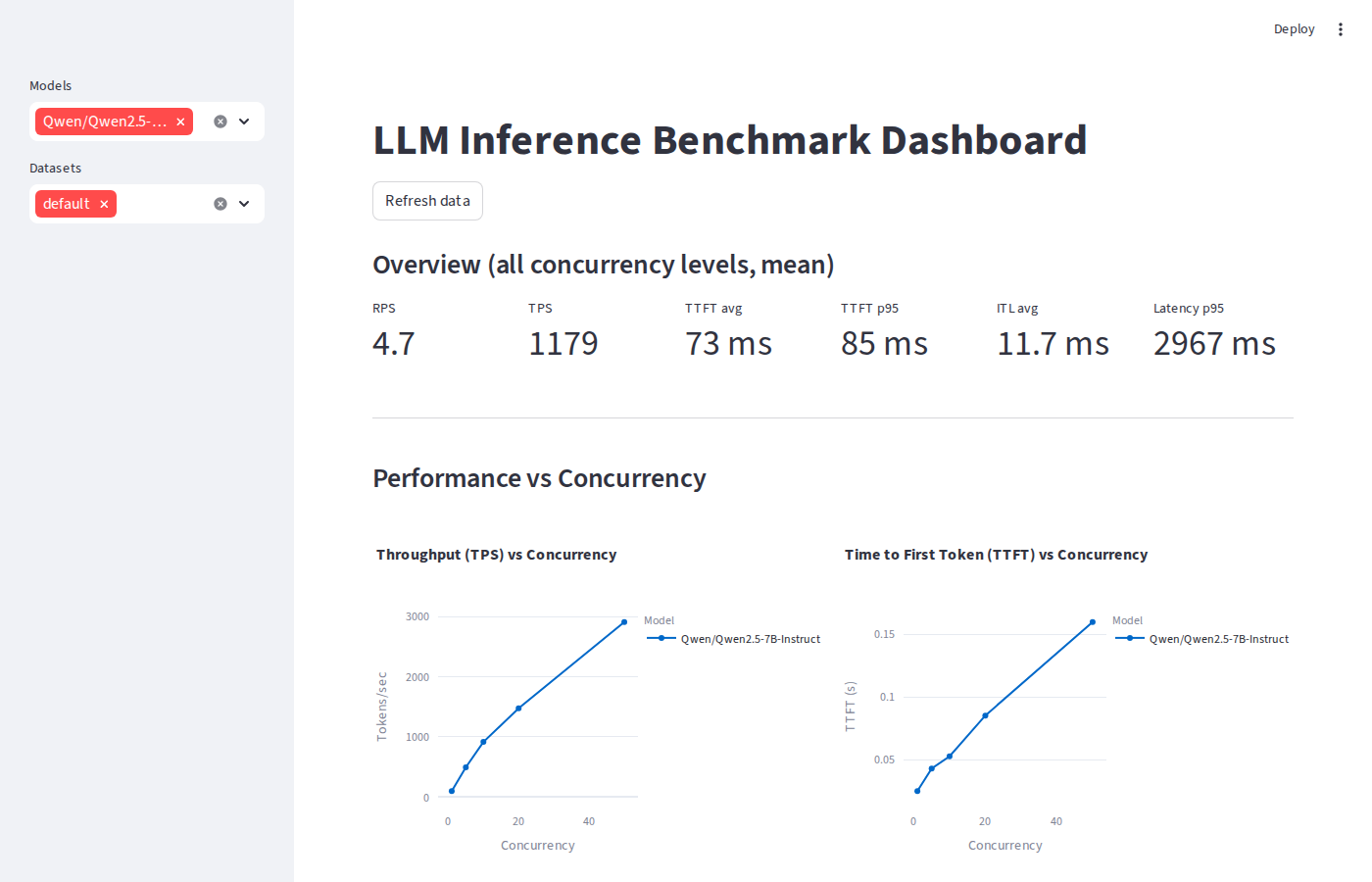 vLLM dashboard overview & KPIs
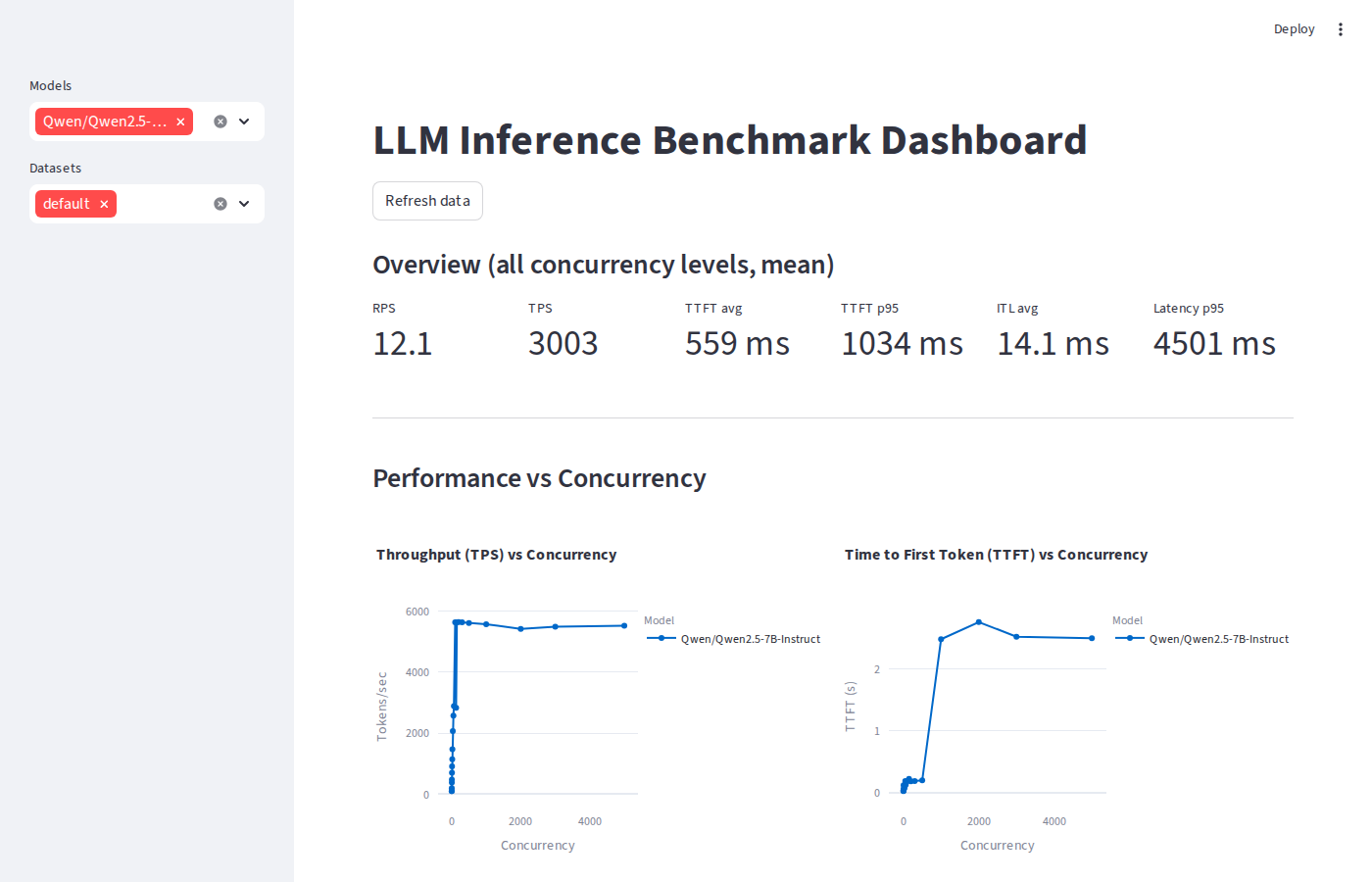 SGLang dashboard overview & KPIs
Fine-Grained Sweep: Finding Saturation
All three backends saturate at c=64 adding more concurrent users past that point yields no additional throughput. But the saturation TPS is very different:
| Concurrency | vLLM TPS | SGLang TPS | TRT-LLM TPS |
|---|---|---|---|
| 1 | 101 | 102 | 93 |
| 8 | 708 | 704 | 649 |
| 16 | 1,169 | 1,144 | 1,132 |
| 32 | 2,158 | 2,069 | 2,179 |
| 64 | 2,917 | 2,887 | 4,108 ★ |
| 128 | 2,882 | 2,836 | 4,101 ★ |
At saturation, TRT-LLM delivers 4,108 TPS 41% more than vLLM (2,917) and 42% more than SGLang (2,887). The plateau at c=128 vs c=64 confirms the GPU is fully utilised; the marginal regression is queue overhead, not GPU capacity.
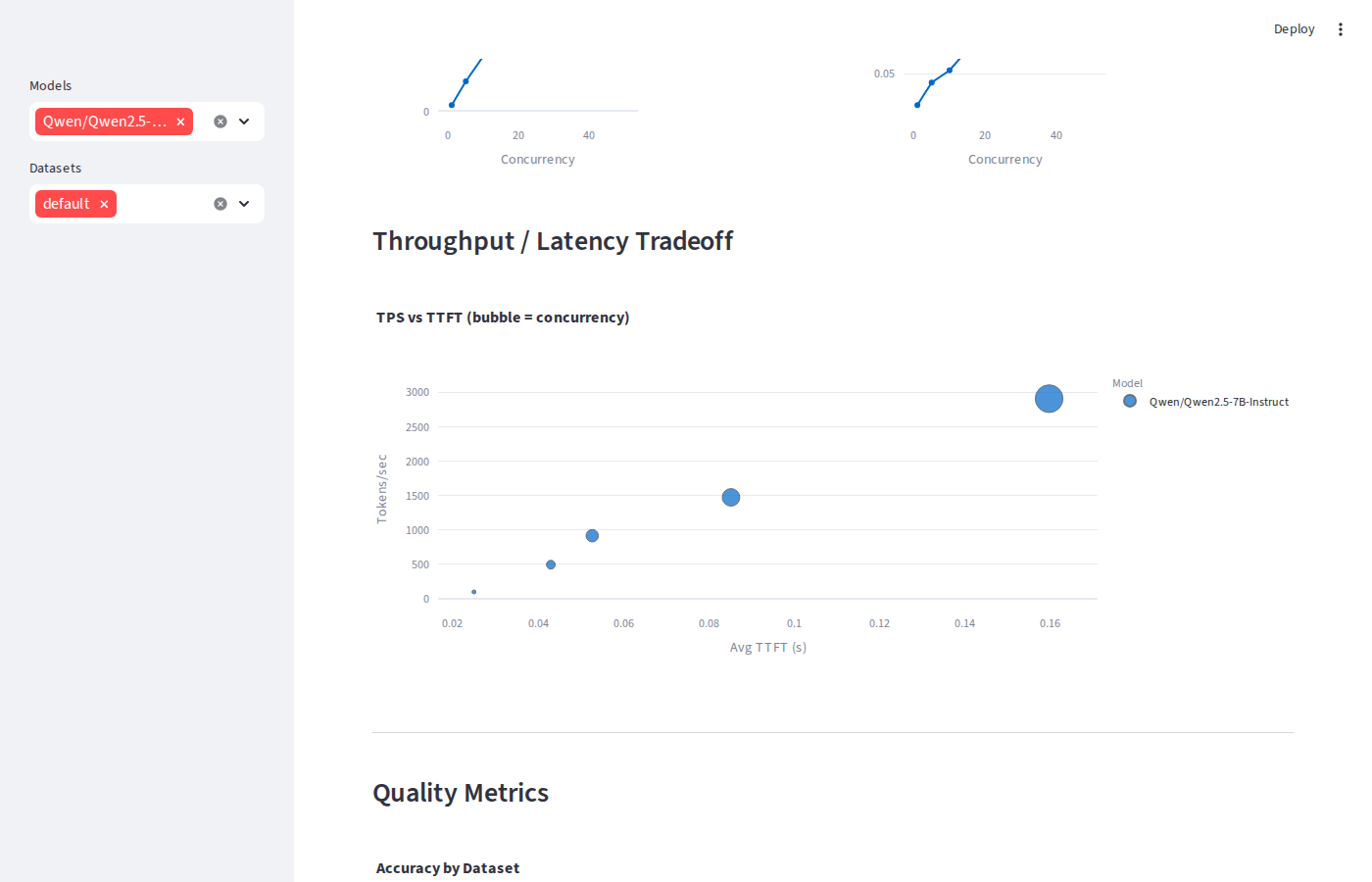 vLLM throughput / latency tradeoff
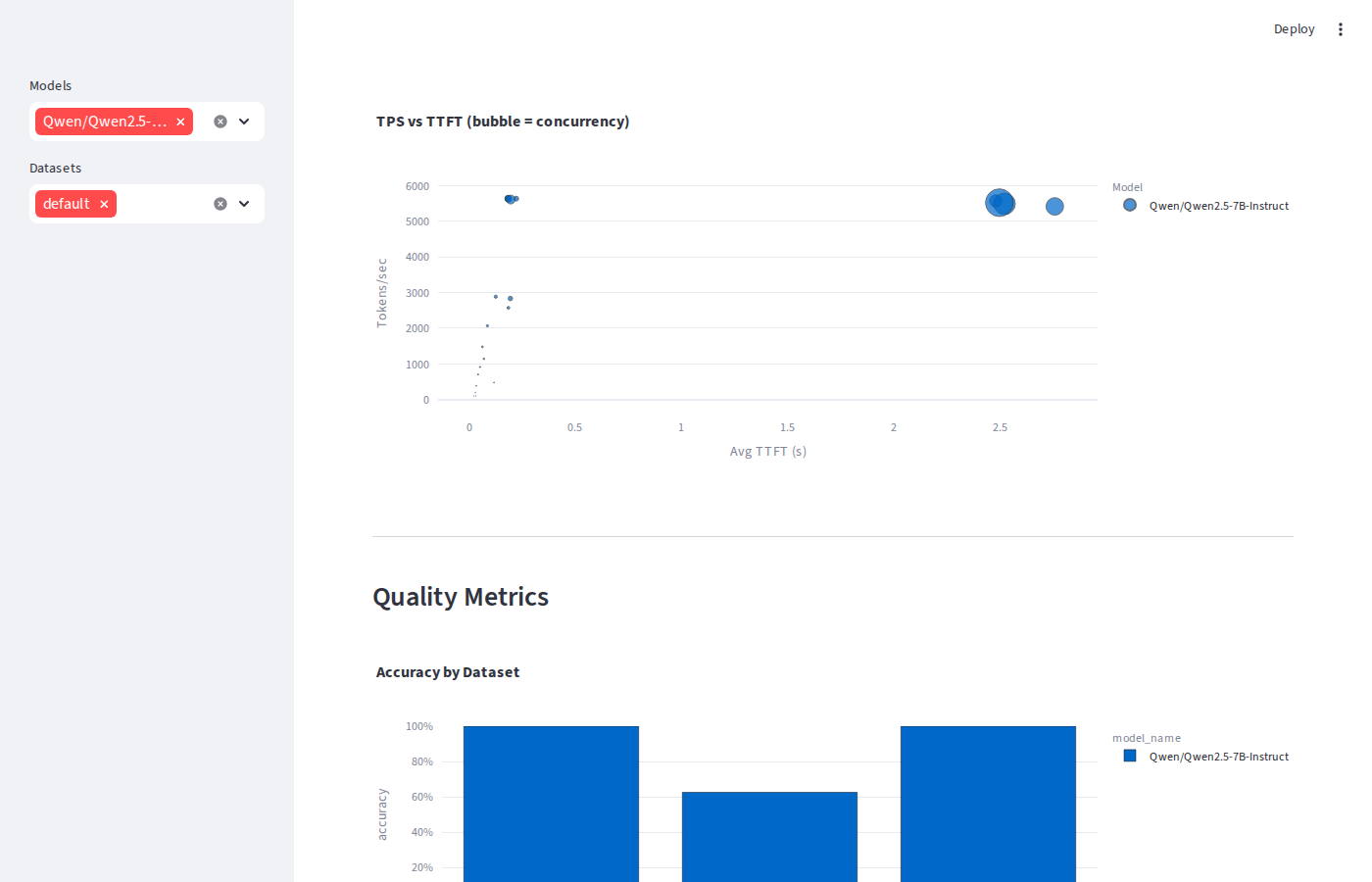 SGLang throughput / latency tradeoff
Why TRT-LLM Wins at Practical Concurrency
At c=64, TRT-LLM does in one kernel what vLLM does in three or four. The startup compilation step produces:
- Compiled CUDA kernels the model is compiled for the exact target GPU (RTX 5090, SM 12.0), fusing attention, MLP, and layernorm into hardware-optimal paths
- CUDA graph capture execution graphs pre-recorded for each batch size at warmup. Replaying a captured graph eliminates all CPU-side scheduling overhead at inference time
- Fused MLP the feed-forward layers merge into a single kernel, halving memory round-trips on the largest compute block in the transformer
- FlashInfer sampling token sampling at each decode step uses optimised CUDA kernels rather than standard PyTorch sampling ops
Overload: Where vLLM & SGLang Take the Lead
Once the queue is permanently saturated (c=100+), continuous batching closes the gap and then reverses it. vLLM and SGLang hit ~5,640–5,650 TPS at the GPU ceiling while TRT-LLM plateaus at ~4,220 TPS:
| Concurrency | vLLM TPS | SGLang TPS | TRT-LLM TPS | vLLM TTFT | TRT-LLM TTFT |
|---|---|---|---|---|---|
| 100 | 5,550 | 5,638 ★ | 4,200 | 264 ms | 1,323 ms |
| 200 | 5,529 | 5,644 ★ | 4,226 | 244 ms | 1,322 ms |
| 500 | 5,658 ★ | 5,613 | 4,220 | 174 ms | 1,300 ms |
The reversal happens because TRT-LLM uses static compiled batch sizes (1, 2, 4 … 64, 128). When 300 requests are queued, it still processes them in groups of 128, 128, 44 padding waste grows. vLLM and SGLang inspect the full queue every decode step and pack exactly as many sequences as the GPU can hold, so every step runs at 100% GPU utilisation with no padding.
TRT-LLM's TTFT also breaks the 500 ms SLA much earlier at c≈100 (1,323 ms average) vs c≈1,000 for vLLM and SGLang. The static-batch architecture has less runtime flexibility to interleave prefill and decode phases under deep queues.
Extreme Overload: The True Breaking Point
At c=1,000+, vLLM and SGLang never hard-fail they queue everything. The breaking point is latency, not errors:
| Concurrency | vLLM TPS | SGLang TPS | vLLM TTFT | SGLang TTFT | Errors |
|---|---|---|---|---|---|
| 500 | 5,658 | 5,613 | 174 ms | 197 ms | 0 |
| 1,000 | 5,512 | 5,574 | 2,538 ms | 2,480 ms | 0 |
| 3,000 | 5,491 | 5,494 | 2,555 ms | 2,521 ms | 0 |
| 5,000 | 5,491 | 5,526 | 2,548 ms | 2,497 ms | 0 |
TTFT jumps 14× between c=500 and c=1,000 (174 ms → 2,538 ms) while TPS
stays flat at the GPU ceiling (~5,500). The practical SLA boundary for TTFT < 500 ms
is c ≈ 500–1,000. To enforce a hard limit, set
--max-num-seqs on the vLLM server or apply a client-side timeout; the GPU
is never the bottleneck at these concurrency levels.
Quality Evaluation
Serving the same weights through different engines shouldn't change model quality but it can surface sampling implementation differences. Across MMLU, GSM8K, and HumanEval:
| Dataset | Metric | vLLM | SGLang | TRT-LLM |
|---|---|---|---|---|
| MMLU | Accuracy | 100% | 100% | 100% |
| GSM8K | Exact Match | 50% | 62.5% | 87.5% ★ |
| HumanEval | pass@1 | 100% | 100% | 100% |
MMLU and HumanEval are consistent across all three. The GSM8K spread (50% → 87.5%) is driven by small-sample noise the eval runs only 8 questions, so a single extra correct answer moves the score by 12.5 percentage points. These are not evidence of engine-level quality differences.
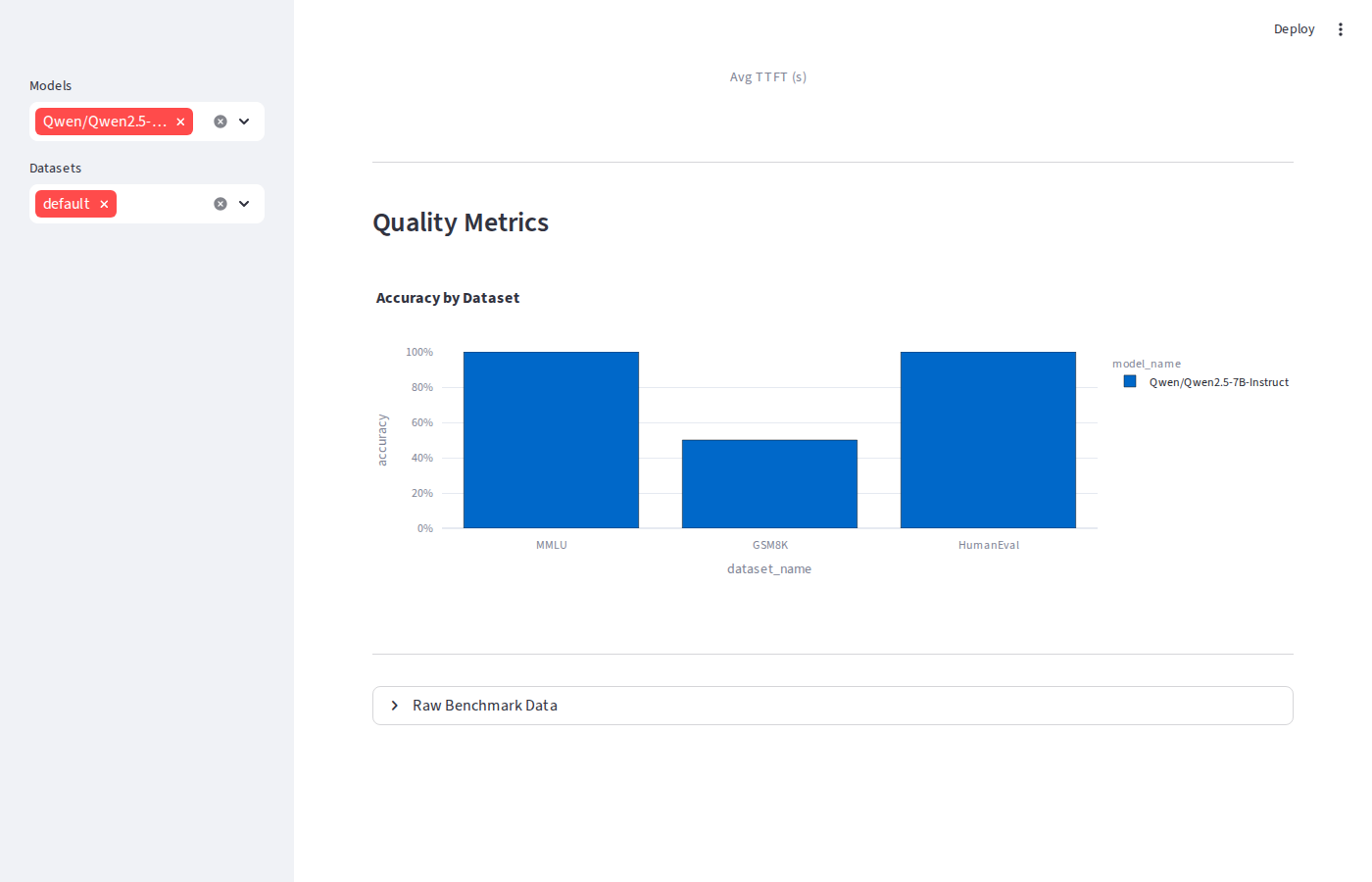 vLLM quality metrics
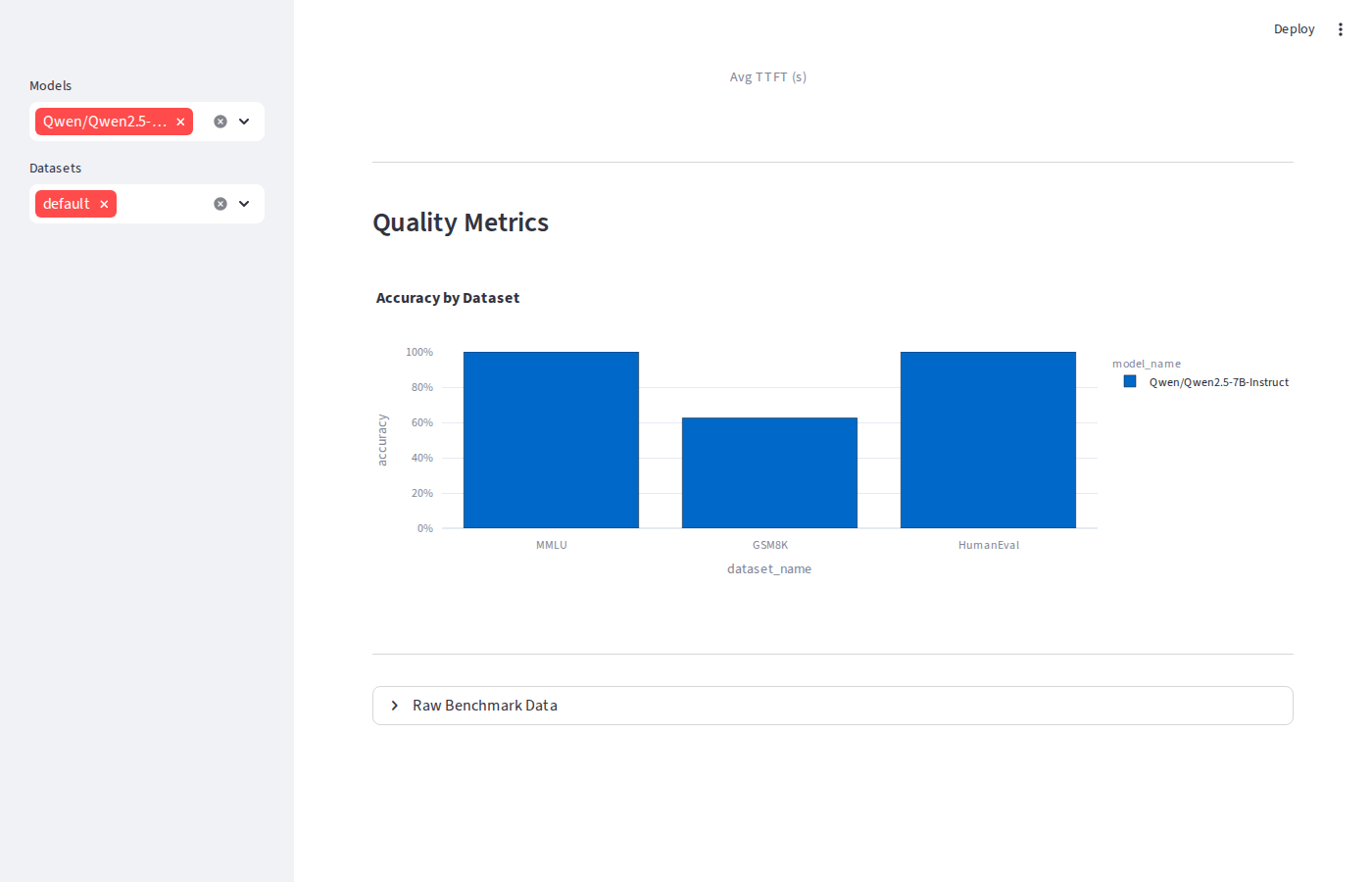 SGLang quality metrics
TRT-LLM on Blackwell: The CUDA Version Trap
Getting TRT-LLM running on the RTX 5090 required more than a pip install.
TRT-LLM 1.2.0 was built against CUDA 13 cuBLAS and required OpenMPI, and the RTX 5090's
SM 12.0 (Blackwell) architecture isn't supported by CUDA 12.8's nvcc. The upgrade from
the PyTorch backend (CUDA 12.8) to the TRT engine (CUDA 12.9) changed everything:
| Metric | PyTorch backend (CUDA 12.8) | TRT engine (CUDA 12.9) | Improvement |
|---|---|---|---|
| TPS @ c=50 | 1,565 | 4,063 | +160% |
| Saturation TPS | ~1,742 @ c=32 | ~4,108 @ c=64 | +136% |
| GPU ceiling TPS | ~1,950 | ~4,220 | +116% |
| TTFT avg @ c=1 | 38 ms | 22 ms | −42% |
The CUDA version matters more than any tuning knob. Upgrading CUDA 12.8 → 12.9 and switching
to --backend tensorrt more than doubled throughput and cut TTFT by 42%.
If you're on Blackwell and benchmarking TRT-LLM without CUDA 12.9 and the TRT engine, you're
measuring the wrong thing.
When to Use Each
| Use case | Best choice | Reason |
|---|---|---|
| Production serving, TTFT SLA < 200 ms | TRT-LLM | Lowest latency, highest TPS at c=1–64 |
| Batch processing, max raw throughput | vLLM or SGLang | Continuous batching wins at c=100+ |
| Simplest deployment, any GPU | vLLM or SGLang | No engine compilation step |
| Single-digit concurrency, lowest TTFT | TRT-LLM | 22 ms vs 25–33 ms for others |
The Streamlit Dashboard
Every run writes results to Parquet and CSV under data/. The Streamlit dashboard
surfaces five views: Overview KPIs, TPS/TTFT vs concurrency line charts, a TPS vs TTFT
tradeoff scatter (bubble size = concurrency), quality metrics per dataset, and a raw data
table with CSV export. Running in demo mode (no GPU required):
# Demo mode no GPU required
python main.py --demo
streamlit run dashboard/app.py

# Against a live vLLM server
vllm serve Qwen/Qwen2.5-7B-Instruct \
  --host 0.0.0.0 --port 8000 \
  --attention-backend FLASHINFER

python main.py \
  --model Qwen/Qwen2.5-7B-Instruct \
  --base-url http://localhost:8000 \
  --concurrency 1,5,10,20,50 \
  --num-requests 50
What I'd Do Next
- Run extreme overload on TRT-LLM the static-batch architecture likely hits a hard error ceiling before c=1,000
- Add multi-GPU tensor-parallel configs for all three backends to measure TP scaling efficiency
- Benchmark prefix caching SGLang's RadixAttention is specifically designed for shared KV prefixes and likely closes the TPS gap on RAG workloads
- Add an LLM-as-judge quality scorer to catch subtle output differences that exact-match and ROUGE miss